Filter Creator - The Content Management System
The Filter Creator - The Content Management System for AI-Powered Photo Booth Experiences
AI-powered photo activations are no longer “nice to have.” They are expected. Personalized, branded, measurable — and instantly deployable.
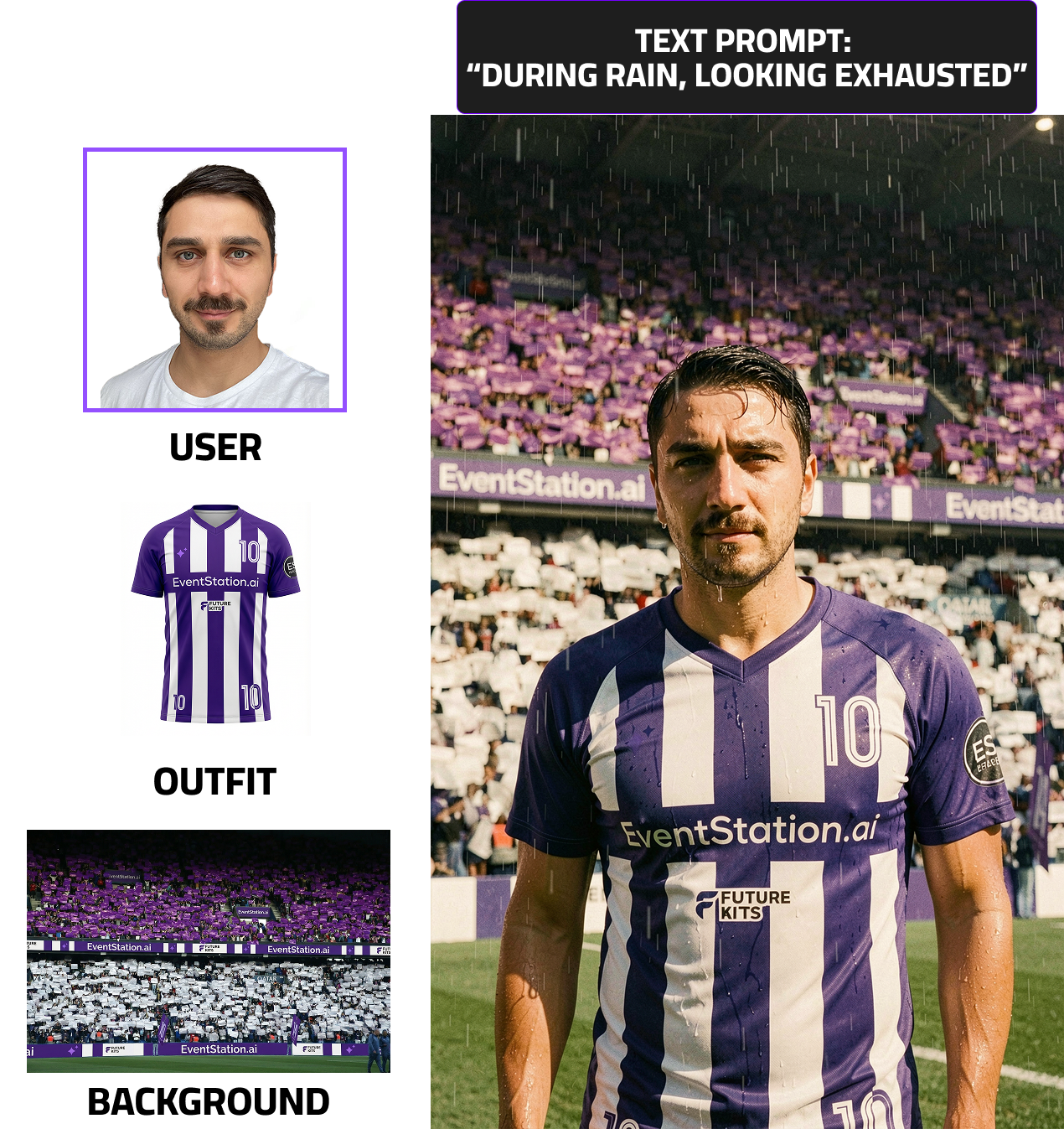
With the Filter Creator, Eventstation.ai introduces a platform to create, manage, update and optimize AI-powered content directly in your photobooth ecosystem.
Available for all clients using the eventstation API — and soon also for WebApp clients.
Early Access users reported something remarkable:
Up to 80% of client requests could be fulfilled fully in-house using self-created filters.
Especially in business and brand activation use cases.
In this page you learn:
- What is the filter creator?
- What are the core components?
- How to use the Conceptualizer
- Learn how to create & test filters?
- What KPIs are available?
- How to request a custom filter?
- How to integrate the Filter Creator (dev information)
 |
 |
What & Why the Filter Creator?
The Filter Creator was born out of necessity.
At Eventstation.ai , we handle hundreds of custom AI filter executions per year. What used to be manual works is now automated. And now — available to you.
The Ideal AI Content Management System
The Filter Creator is not just a feature. It’s the missing management layer for AI-driven photo businesses.
It supports:
- to Deliver personalized print & digital activations at scale at any moment of the sales process (faster proposals with internal drafts and quick content updates for ongoing campaigns)
- Creative teams (no-code production) to Push content updates (modifications or full replacements) instantly
- Operations (controlled deployments): Empower your art & creative department — without developer involvement
- Management (Measure performance and iterate for maximum engagement )
The Core Components
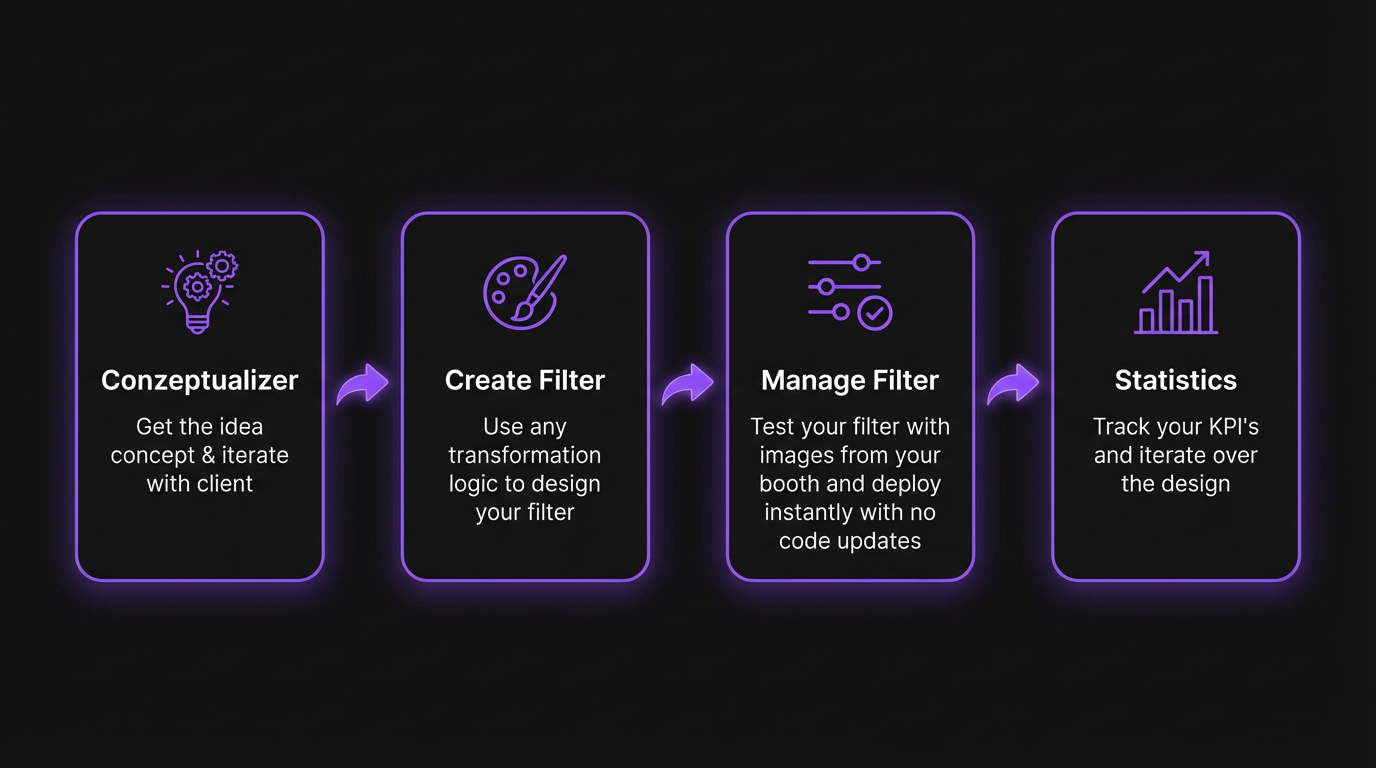
The Filter Creator is built around five main pillars:
- Conceptualizer
- Filter Creation
- Manage Content
- Statistics
- Request Custom AI-Filter
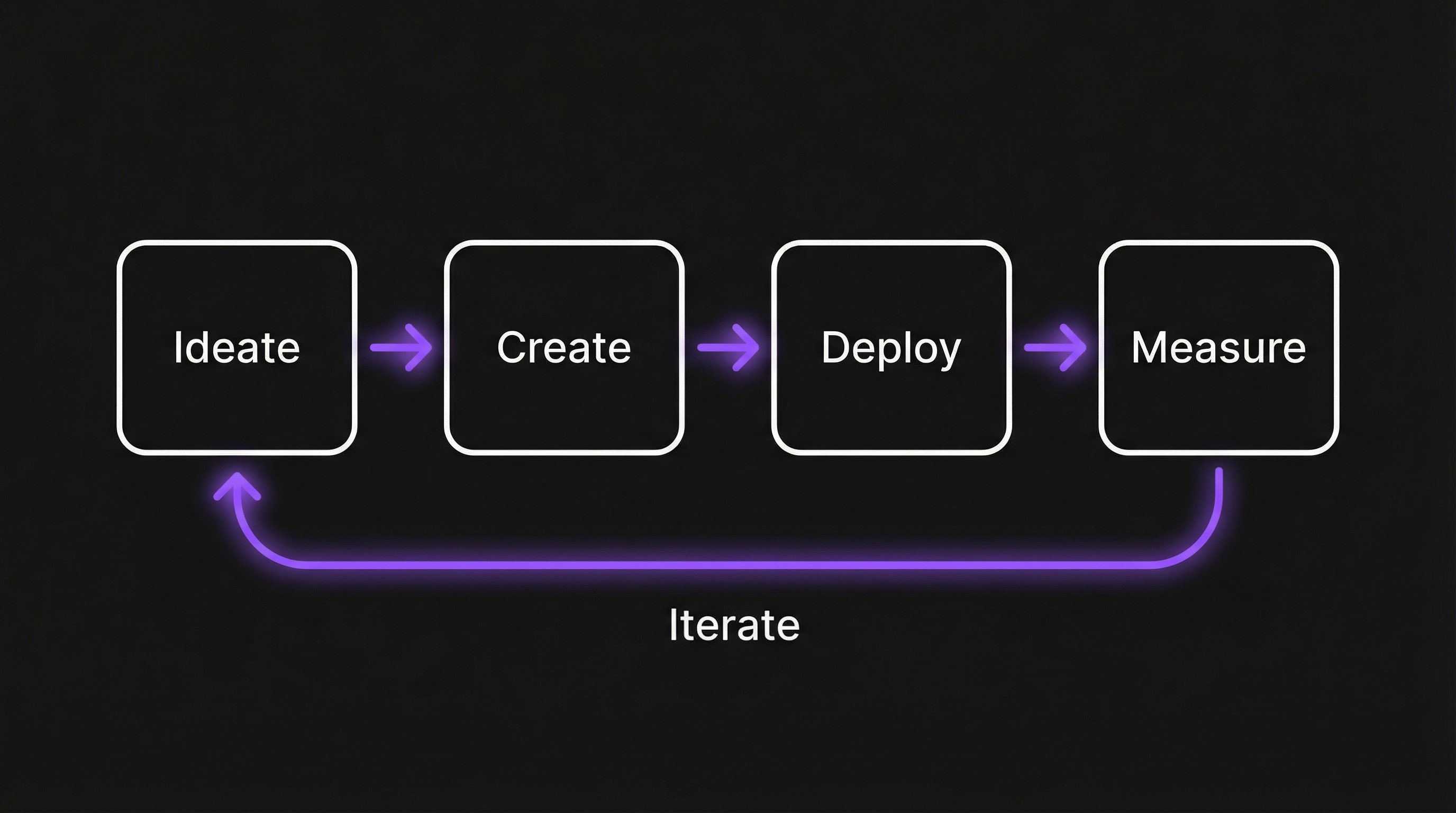
Together, they cover the entire sales and project lifecycle. This circular logic ensures your AI content is not just creative — but performance-driven.
The process is structured but flexible: You move from rough concept to production-ready asset quickly.
Deep Dive 1: Learn How to use the Conceptualizer
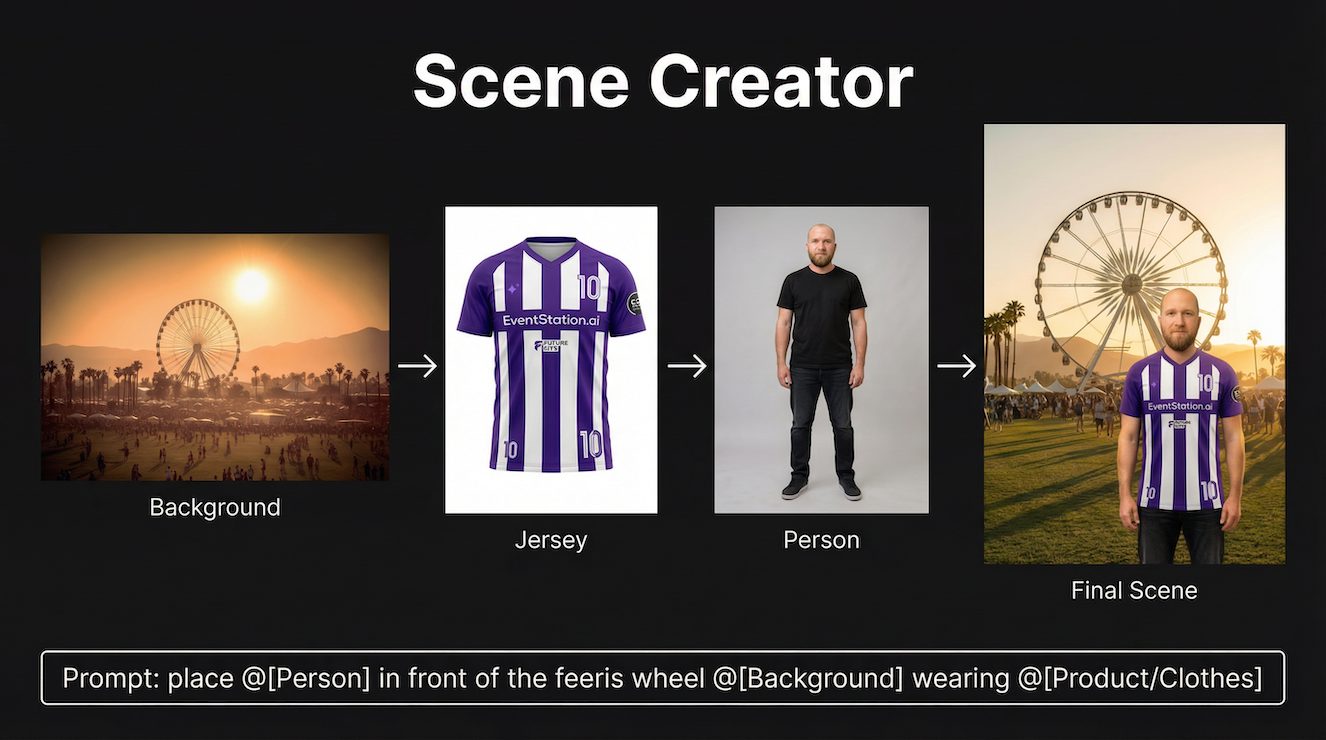
Define your scene. Build your base. Stay flexible. Different modes help you create the perfect foundation for your filter:
- Scene Creator: Combine content and text prompts to create concepts usable to create filters.
- Clothes Swapper: Replace outfits using uploaded references or text prompts.
- Gender & Age Swapper
Adapt scenes to match different demographics — ideal for high-value branded activations. - Free Prompting: Use our in-house models freely with text or uploaded images.
- Upscale: Enhance resolution for printing or post-processing needs.
- Free Prompting: Use our in-house models freely with text or uploaded images
- Background Remover: Extract subjects for full flexibility in scene composition
→ Click here to get a Deep Dive into the Conceptualizer.
Deep Dive 2: Learn How to Create & test self-created Filters
How to create:
Once your concept is defined, transform it into a usable AI filter. Within the Filter Creator, you get direct access to all of our production-proven FaceSwap and MultiSwap models — including both stylized and photorealistic variations.
This gives you structured flexibility depending on:
- Number of people in the photo
- Creative depth required
- Level of control over assets
- three Different Types of transformation logic
Within the Filter Creator, you get direct access to all of our production-proven FaceSwap and MultiSwap models — including both stylized and photorealistic variations.
Click here to learn “How to create Filters”.
Test & Deploy
Before going live:
- Use our in-house datasets
- Or create your own datasets
- Validate your filter across multiple faces & scenarios
- Share test datasets via link with internal or external stakeholders
Access our Deep Dive to learn more about ideal test data sets, to ensure a streamless production and User Experience.
Deep Dive 3: Learn How to Manage your Filter/content
Manage self created or purchased filters, test it on your image datasets
Manage filter is your CMS for any self created or purchased filter. Any kind of purchased or self-created Filter is here visible. Handover quickly information to your developer, client or other relevant stakeholders in a project.
- Retrieve any information about filters via API
- Edit filters and deploy changes instantly without any developer resources
- Test filters on your Booth photos and share them with your client via a link
- Pending on your integration you find relevant filter information (either Alias UUID or UUID)
- Update live installations without developer intervention, integrate once, update forever (pending on your integration based on the developed materials)
Click here to learn “How to manage your Filters”.
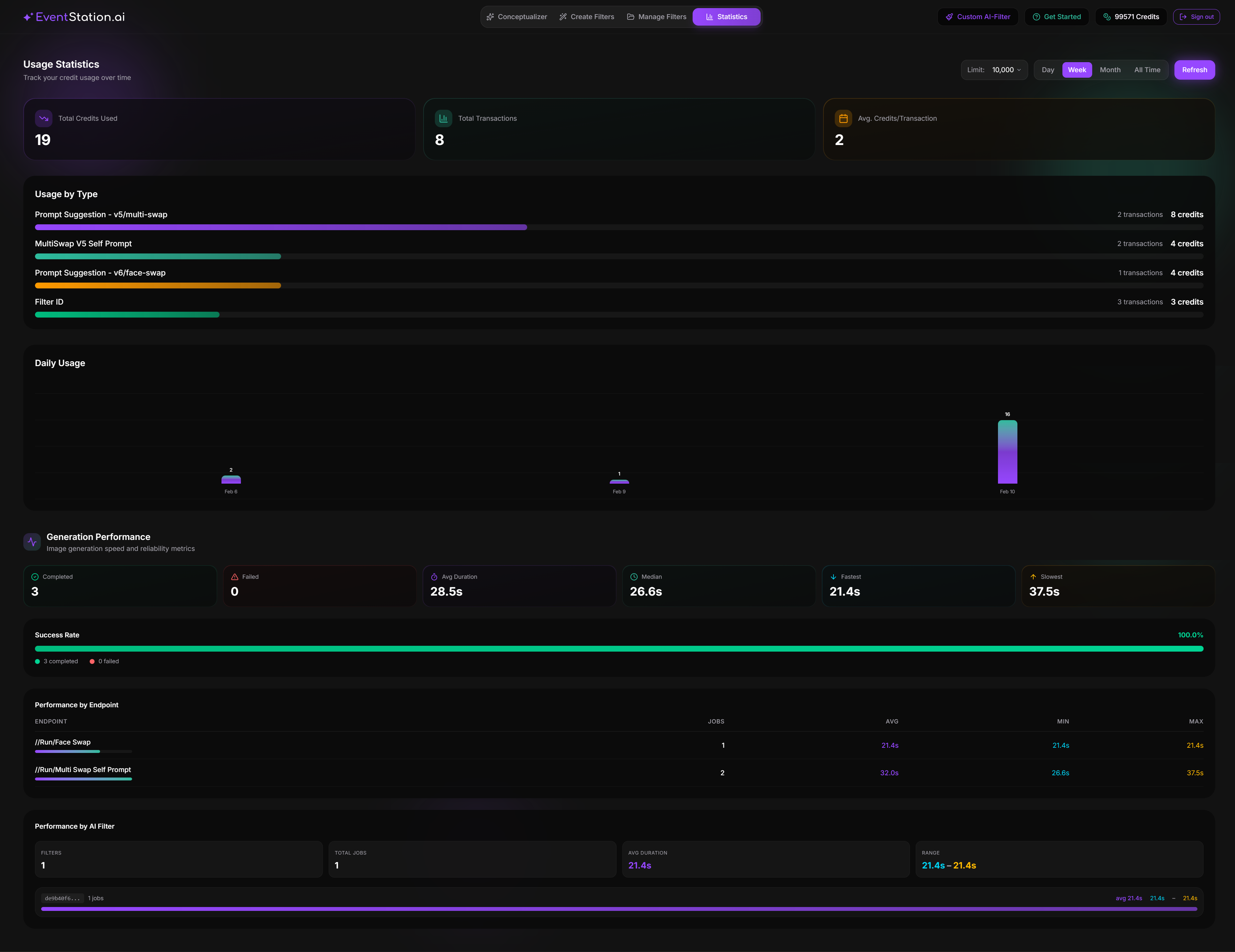
Deep Dive 4: Statistics – Measure What Matters
Under the Statistics tab in Manage Filters, you gain full transparency.
Available Analytics
- Credit Usage Tracking
Total credits used, transactions, average cost per transaction
Daily usage charts and breakdowns by type - Generation Performance Metrics
Average, median, fastest, slowest generation times - Success Rate Visualization
Completed vs. failed jobs at a glance - Per-Endpoint Breakdown
Compare performance across processing endpoints (FaceSwap, MultiSwap, etc.) - Per-Filter Breakdown
Analyze performance per filter and per project
Click here to learn “How to use the Statisctis”.
Deep Dive 5: How to request a Custom AI-Filter
Not every project should or needs to be self-built. With the Request Filter-Feature, you have a streamlined service tool to outsource custom AI filter creation directly to the Eventstation Artist Team.
The built-in wizard allows you to:
- Input detailed event requirements
- Define creative direction
- Specify branding, ratios, and campaign goals
- Upload references
- Receive a custom quote through a structured interface
This ensures:
- A streamlined feedback process
- No information loss
- Transparent scope definition
- Efficient quote turnaround
Instead of fragmented email threads and manual clarifications, everything is structured inside a dedicated user interface.
It combines automation with expert craftsmanship — when you need it.